
Mission control foryour agent platform
The missing UI for your agent platform. See every run, govern every action.
Deep visibility into agentactions and behavior
Sessions and traces give you visibility into every run. Knowledge, memory and learning show you the context your agents consume
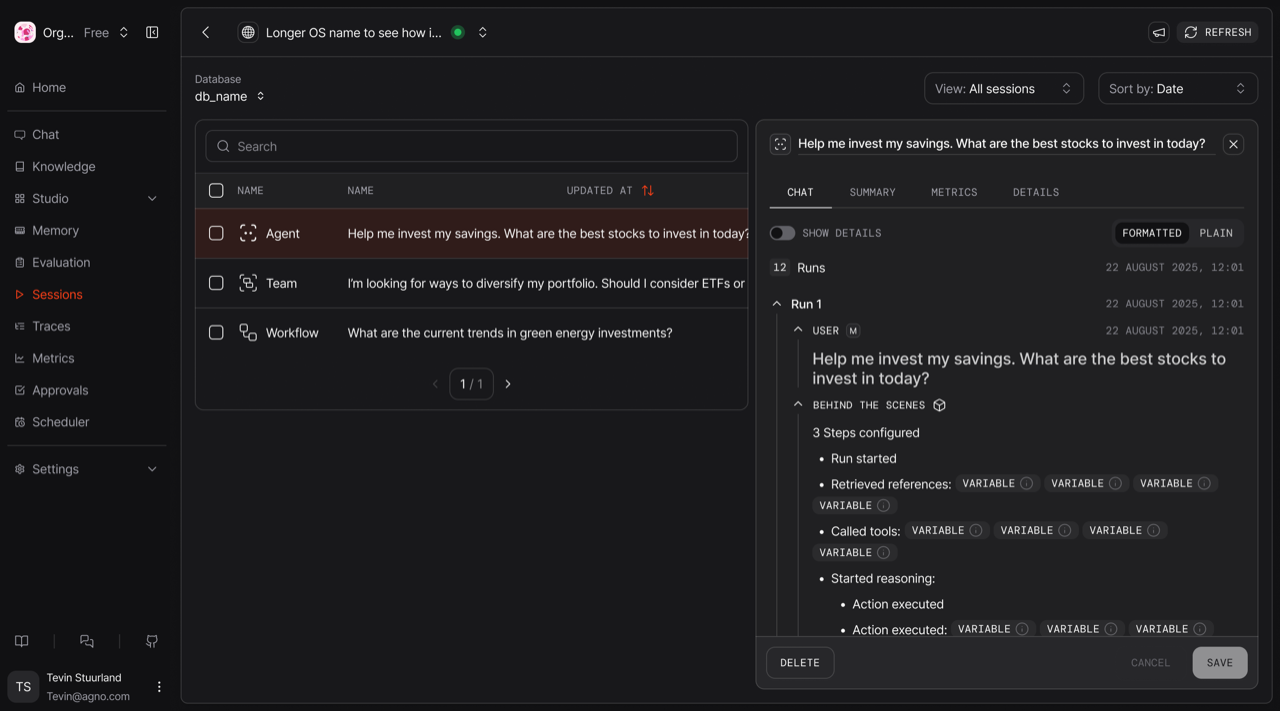
Browse and manage conversations and runs, grouped by session, stored in your own database.
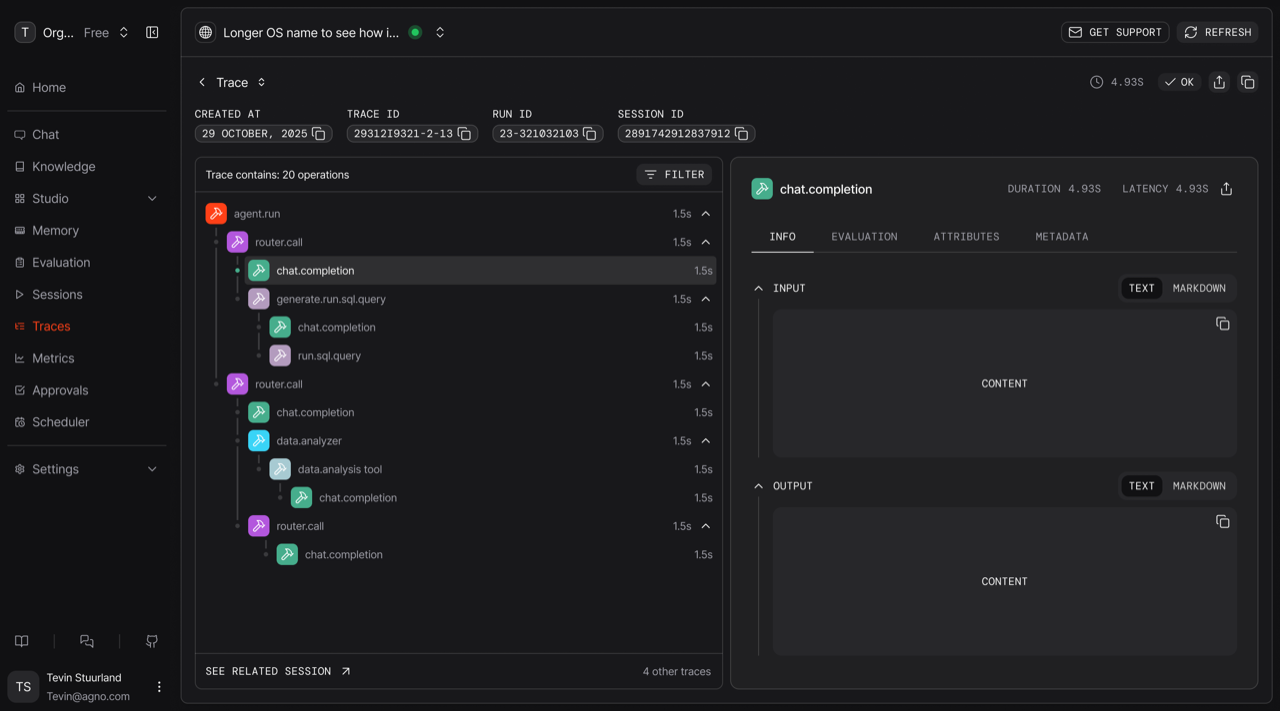
Inspect any run in tree or waterfall view. Every model call, every tool call, with timing, token usage and errors.
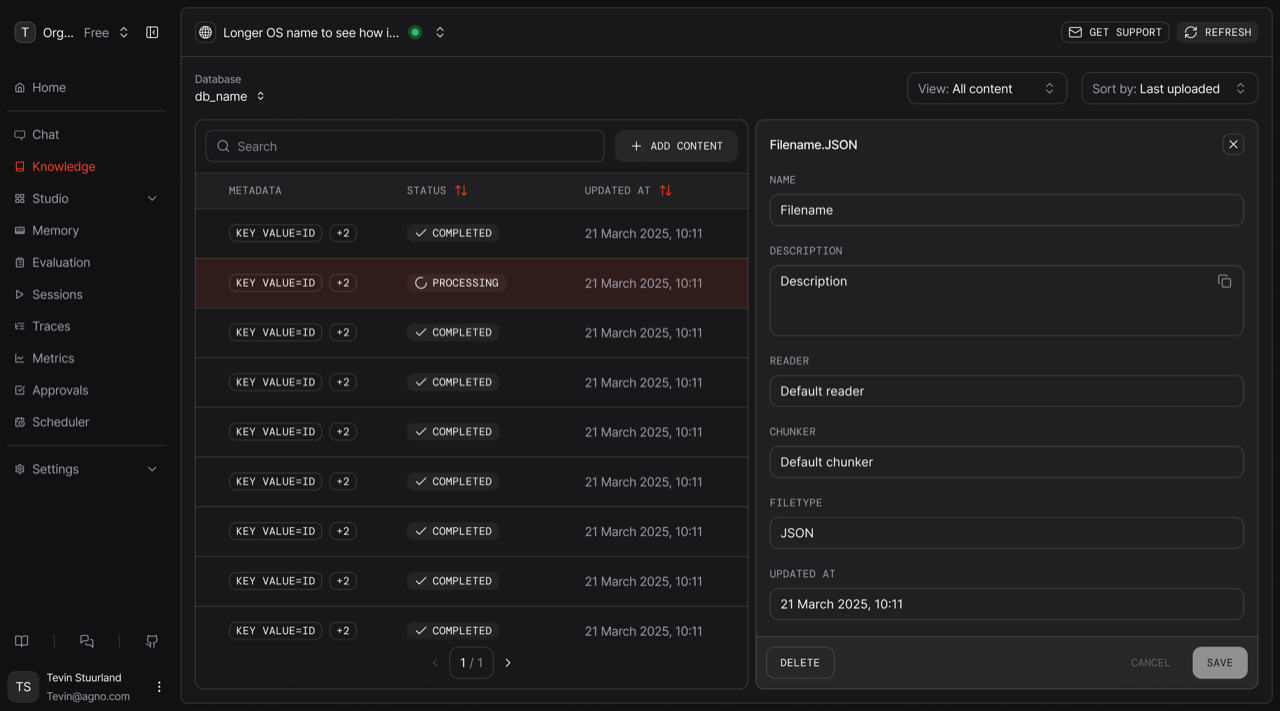
Create and manage knowledge bases, consumed by agents for retrieval augmented generation. Add URLs, files, text or connect to object stores.
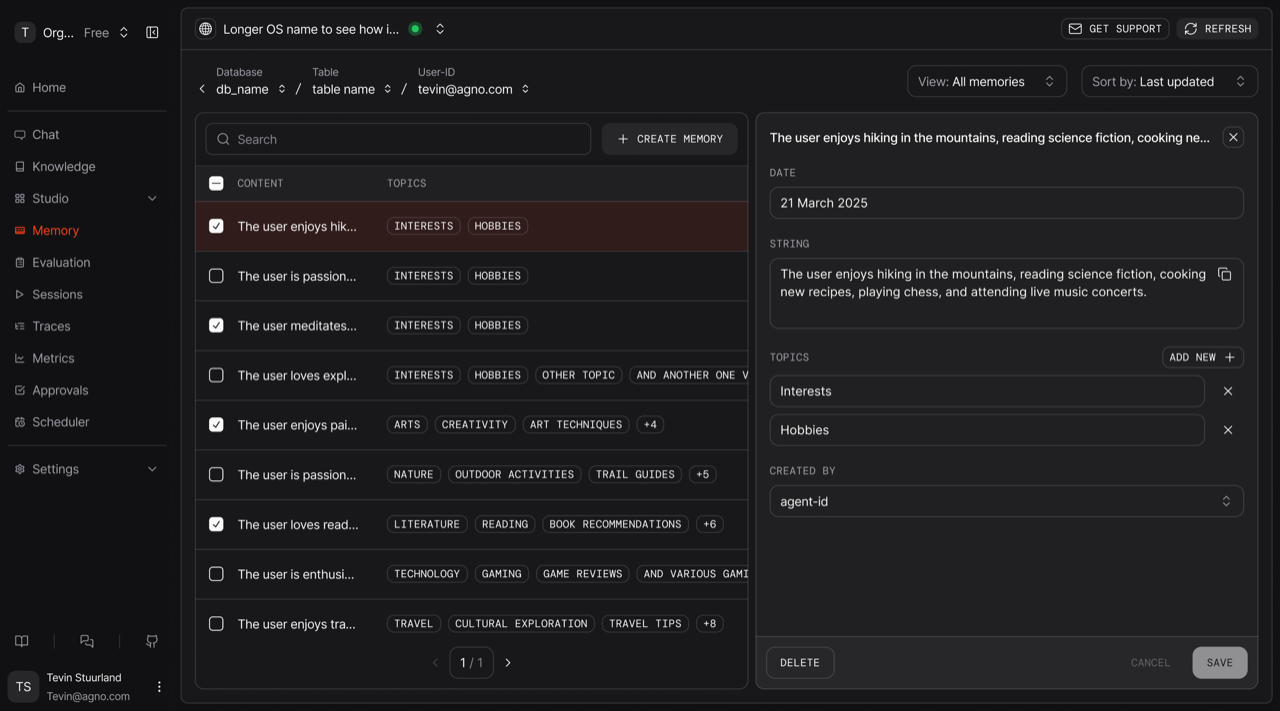
Agents learn from every conversation. Inspect what your agents learned and fix what they got wrong.
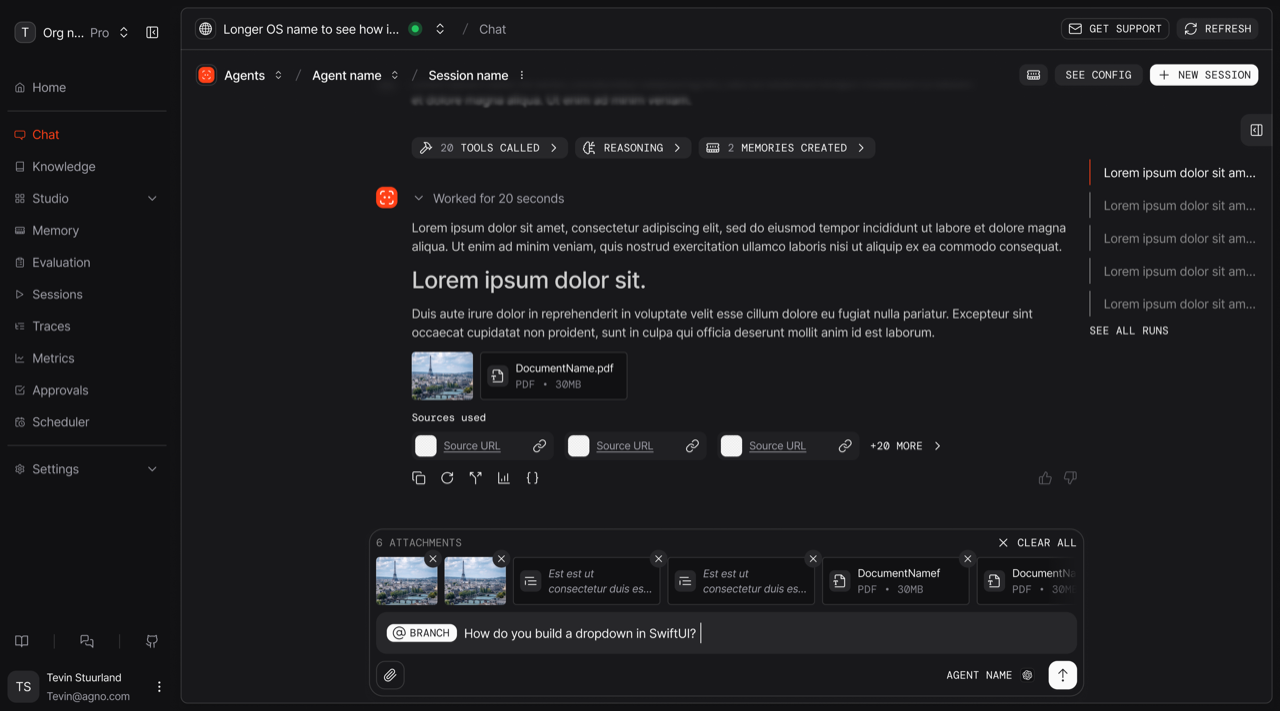
Chat with any agent, team or workflow. Watch every run stream live, step by step.
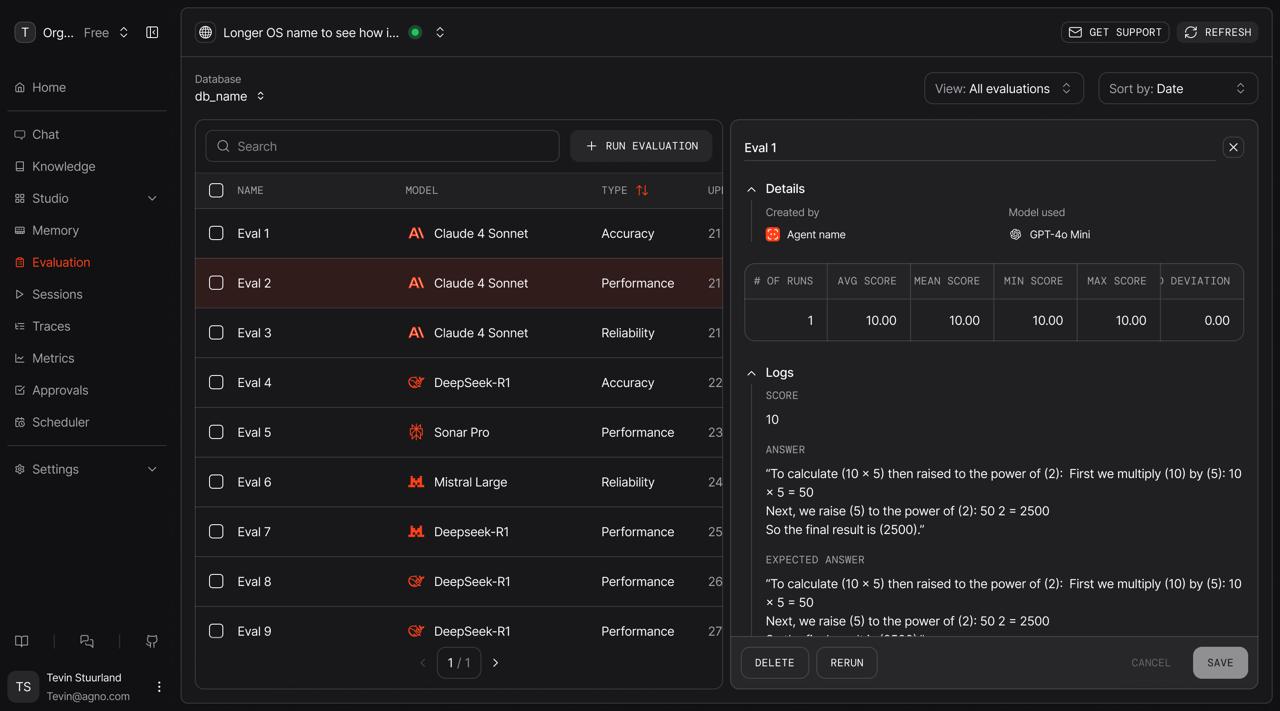
Score your agents on accuracy, performance and reliability. Review every eval run before you ship a change.
Governance enforced at runtime
Revoke access, intervene mid-run, approve tool calls, enforce guardrails and audit your agents in real time. Make agents safe to use in production
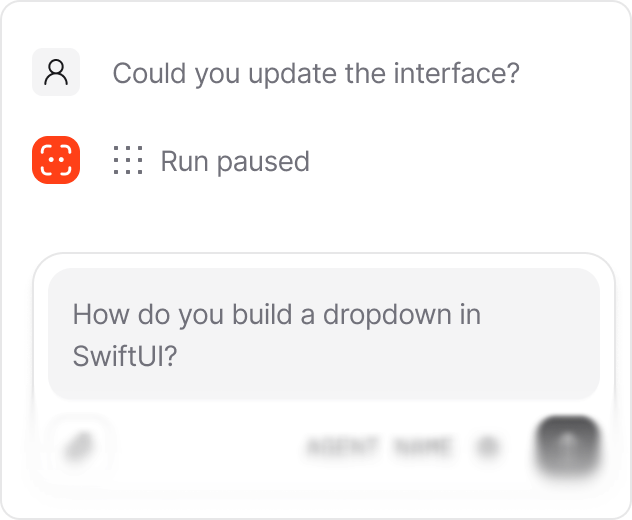
Pause a run while it's still in progress, before it does something you can't undo.
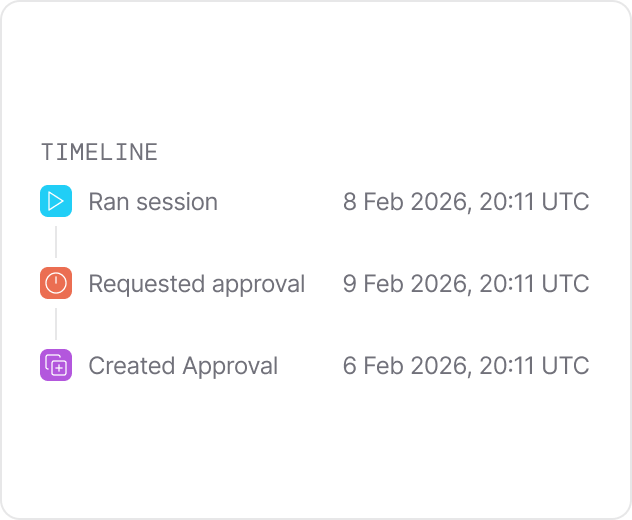
Sensitive actions wait for a human to approve, reject, or edit them first.
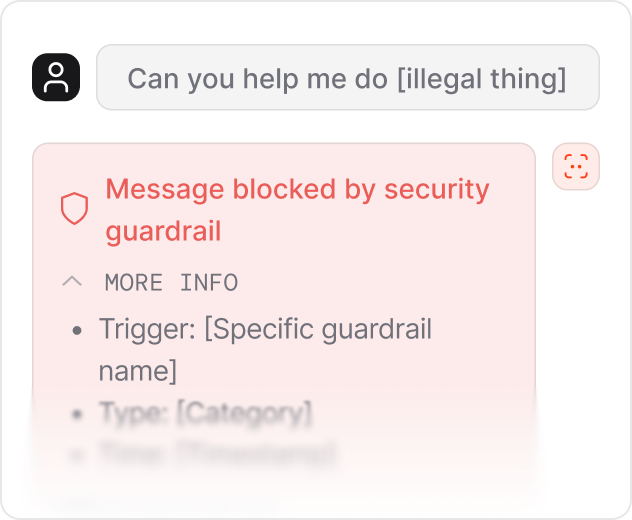
Configure the PII redaction, injection, and moderation checks the runtime enforces.
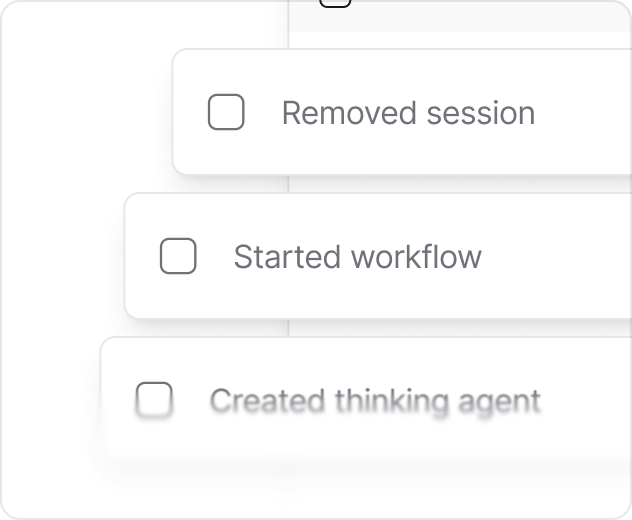
Every action logged to your database: who did what, when, and to which agent.
An architecture designed for ownership
The control plane runs in your browser and connects directly to your runtime. Nothing routes through Agno. You own your agent platform
AgentOS runs entirely in your cloud. Your agents, your runtime, your database. Agno hosts none of it. The code is open-source, and the platform is yours.
It loads in your browser and connects straight to your runtime: local, staging or production. Every request goes from your machine to your AgentOS and back.
This is not a policy, it's an architecture decision. With no Agno server in the path there is nothing for us to store and nothing for your security team to review.
Built for the whole team, not just engineers
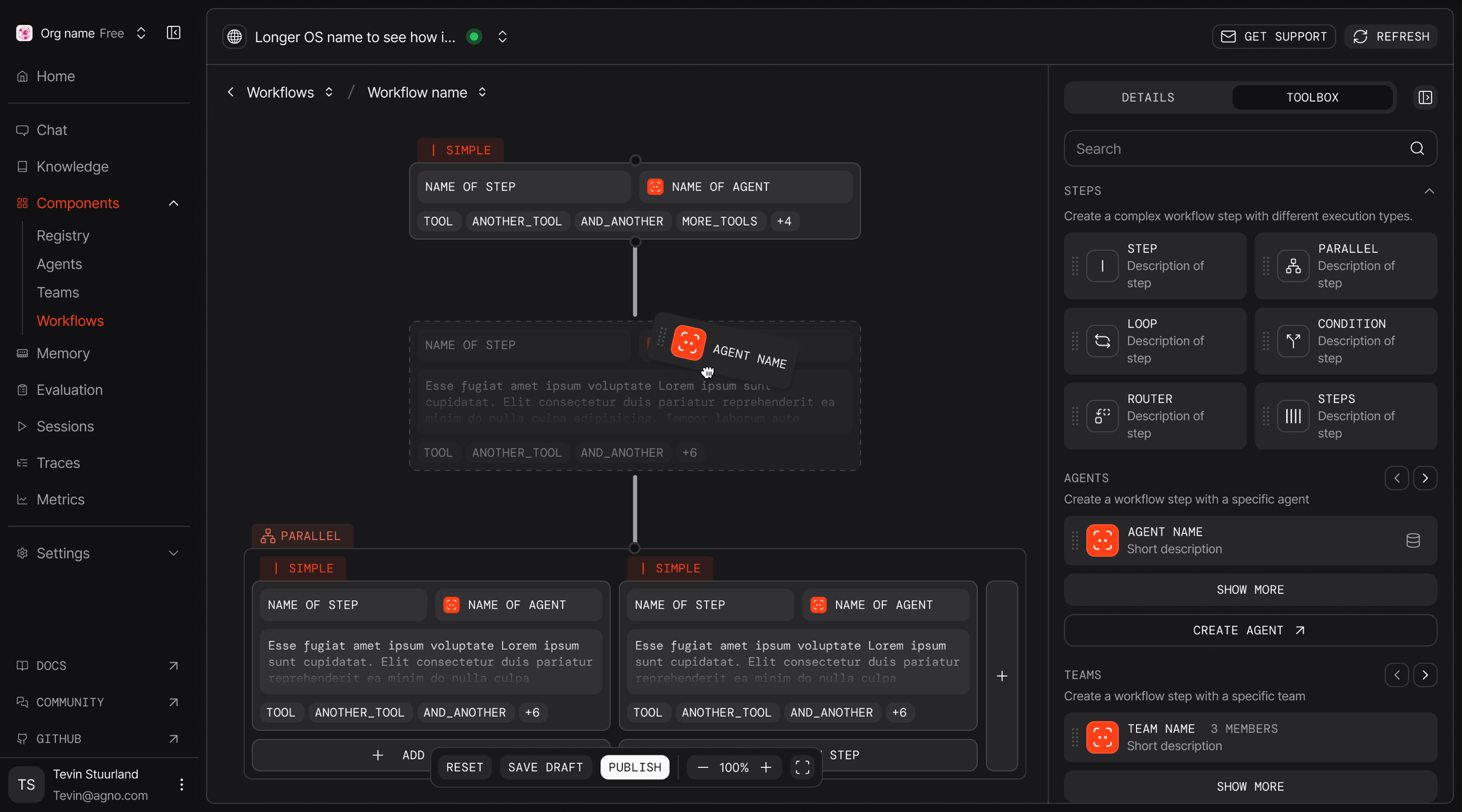
Build agents with a drag and drop UI. Publish versions, roll back and test them live. Studio and the control plane put the same platform in everyone's hands
Build agents, teams and workflows visually. Models, tools, instructions and knowledge, wired together in the browser.
Publishing gives your agent a live API endpoint with the same access controls and guarantees as the SDK.
Every publish is a new versioned agent. Chat with it, test it live or roll back in one click.
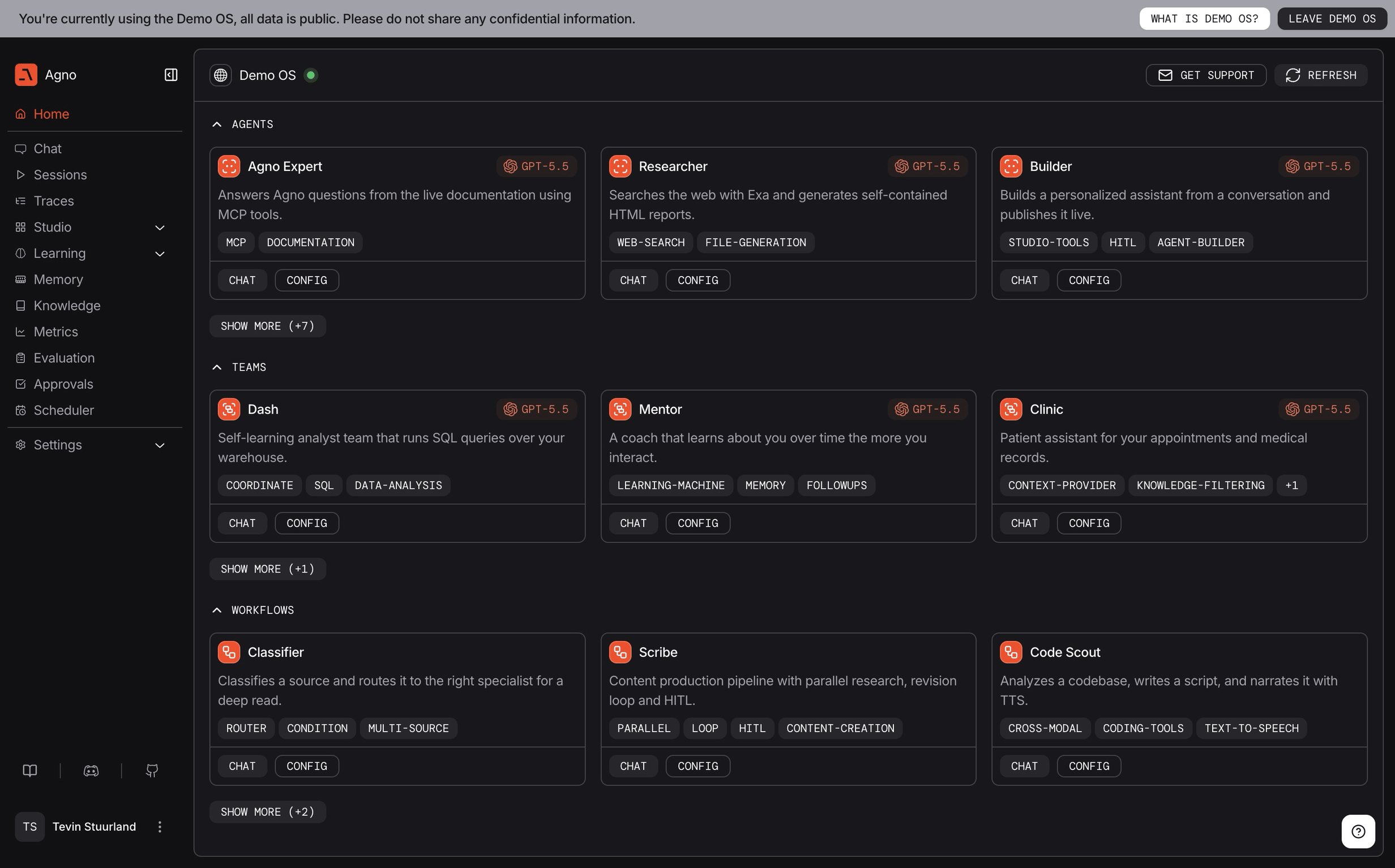
See it live
Explore a live demo environment loaded with our favorite agents
Frequently asked questions
The Control Plane is a dashboard for the agents you already run. It connects to your AgentOS instances and gives you chat, tracing, sessions, knowledge, learning and schedules in one place. You also get the controls to intervene when a run needs a human.
All agent data, including conversations, memory, knowledge, traces, and audit logs, stays in the database connected to your AgentOS, Agno's agent runtime. The Control Plane reads data directly from your runtime via your browser. Agno's servers see only your runtime endpoint, never the data itself.
Yes. The Control Plane uses a browser-to-runtime architecture: there is no relay, no proxy and no copy of your data on our side. It talks to your AgentOS behind your own auth, and every action it takes is logged to your database.
Yes. The Agno Control Plane manages multiple AgentOS instances simultaneously, including local development, staging, and production environments. You can switch between environments with a single click and monitor connection health across all of them.
Yes. Studio is a canvas built into the Control Plane: drag, drop and publish an agent, and it gets a live API endpoint. Agents you build in Studio are the same agents you'd write in the SDK, running unchanged in production.
Authentication and RBAC are configured in the Control Plane and enforced by your runtime. Choose which roles can read, write or run each agent, and scope access by environment. Changes apply on the next request. No redeploy.
No. The Control Plane is a window onto an AgentOS instance, so it needs a runtime to connect to. AgentOS stands on its own: it runs as a FastAPI service, and the Control Plane is an optional layer on top.
It is built for the whole team. Product managers, support and domain experts can chat with agents, review traces, approve sensitive actions and correct what an agent has learned. None of that touches the codebase.